Stop Being a Human Router for Your Agents: Why I Switched to Onward
A local multi-agent coding workflow with reusable prompts, multi-pane broadcasting, inline Git diff review, and native agent coordination.
TL;DR: If your primary coding loop runs locally (parallel Claude Code instances, bugfixes, test generation, and diff reviews), stop fragmenting your workflow across raw terminal windows. Onward is a purpose-built desktop workbench that collapses prompt reuse, multi-pane broadcasting, and Git diff inspection into a single zero-friction window.
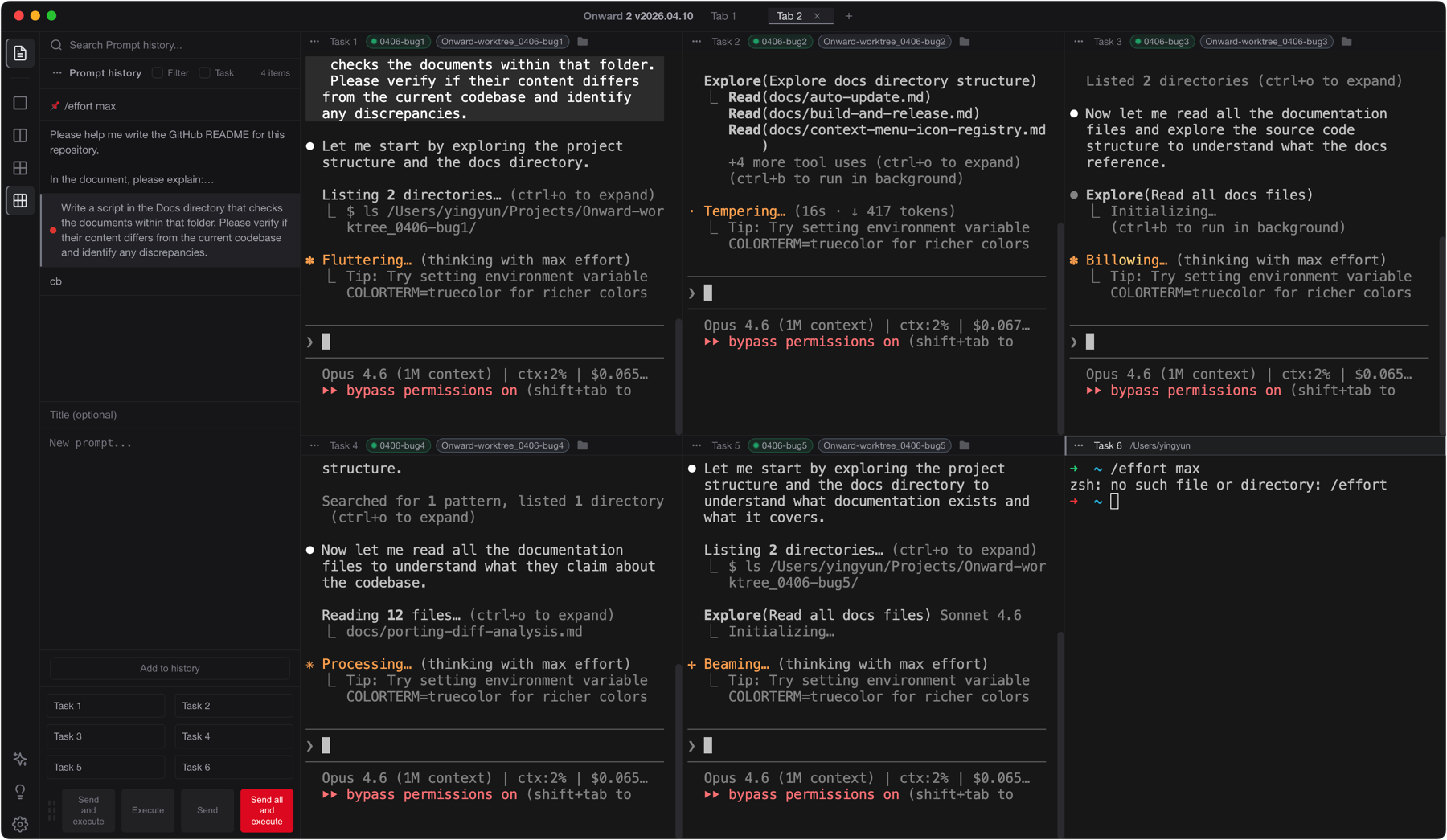
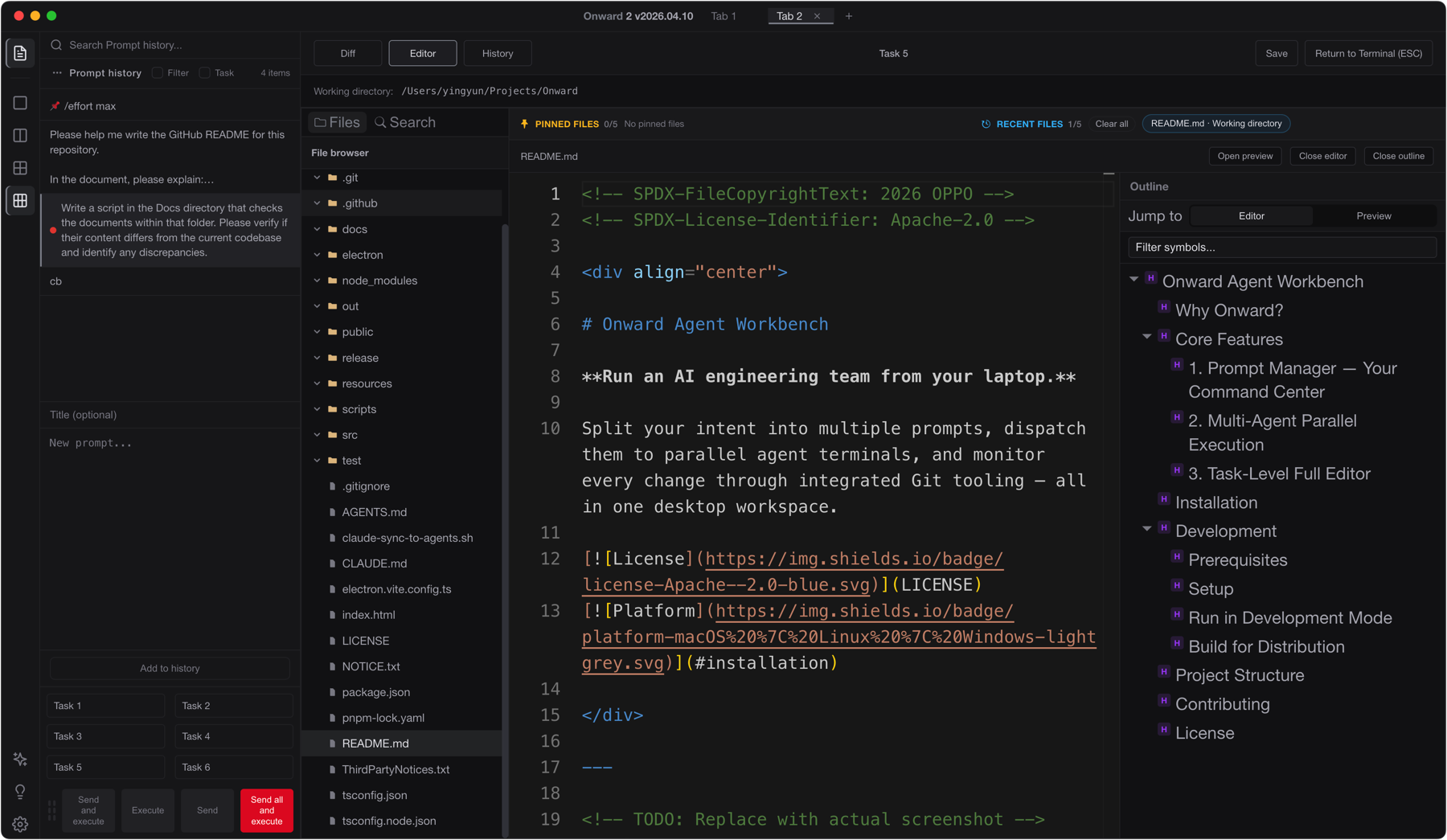
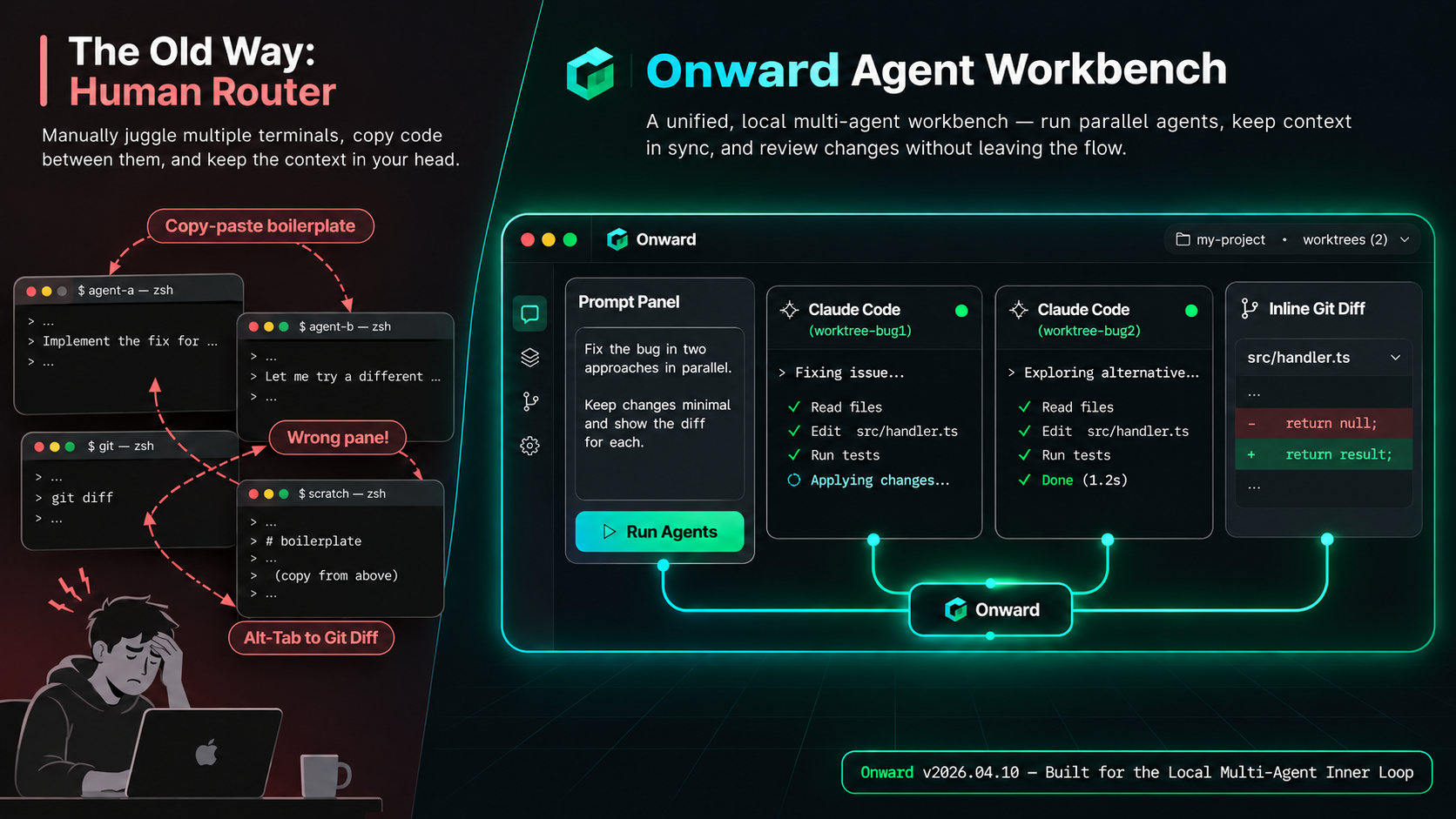
Fig 1: Stop being a human message bus for your coding agents.
The Bottleneck Isn’t Model IQ—It’s Context Switching
My standard setup for fixing a non-trivial bug involves two parallel Claude Code instances across isolated Git worktrees: one for implementation (worktree-bug1), one for regression tests (worktree-bug2).
When running 2–4 agents concurrently, the friction isn’t model capability—it’s acting as a human message bus:
-
Copy-pasting the same system constraints (
Read existing code first. DO NOT break public interfaces.) into every new session. -
Accidentally piping test commands into the implementation pane.
-
Alt-tabbing out of the terminal to inspect
git diffin an IDE, then switching back to issue corrections.
Traditional terminal multiplexers leave you stranded in shell scripts and disjointed panes. Onward was built specifically to solve this high-throughput human-in-the-loop coding bottleneck.
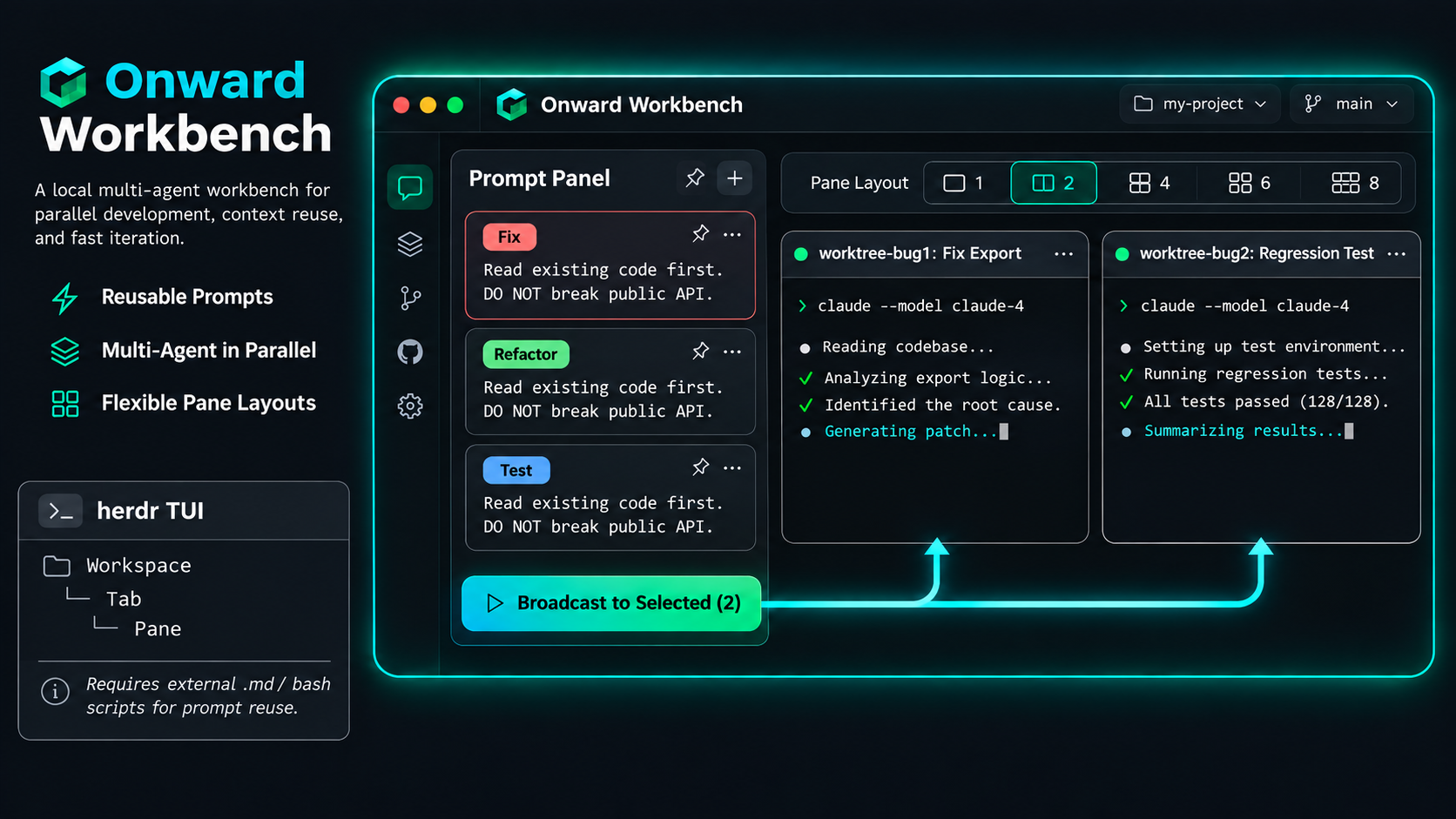
Fig 2: First-class prompt multicast in Onward’s dedicated Prompt Panel.
1. First-Class Prompt Multicast
Instead of relying on external dotfiles or shell history to manage repetitive system prompts, Onward treats prompts as first-class state.
-
Dedicated Prompt Panel: Pin and color-tag your recurring invariant constraints in the sidebar.
-
One-Click Multicast: Tile your layout across 1, 2, 4, 6, or 8 grid panes, select your target agents, and broadcast core rules to both your coder and tester agents simultaneously.
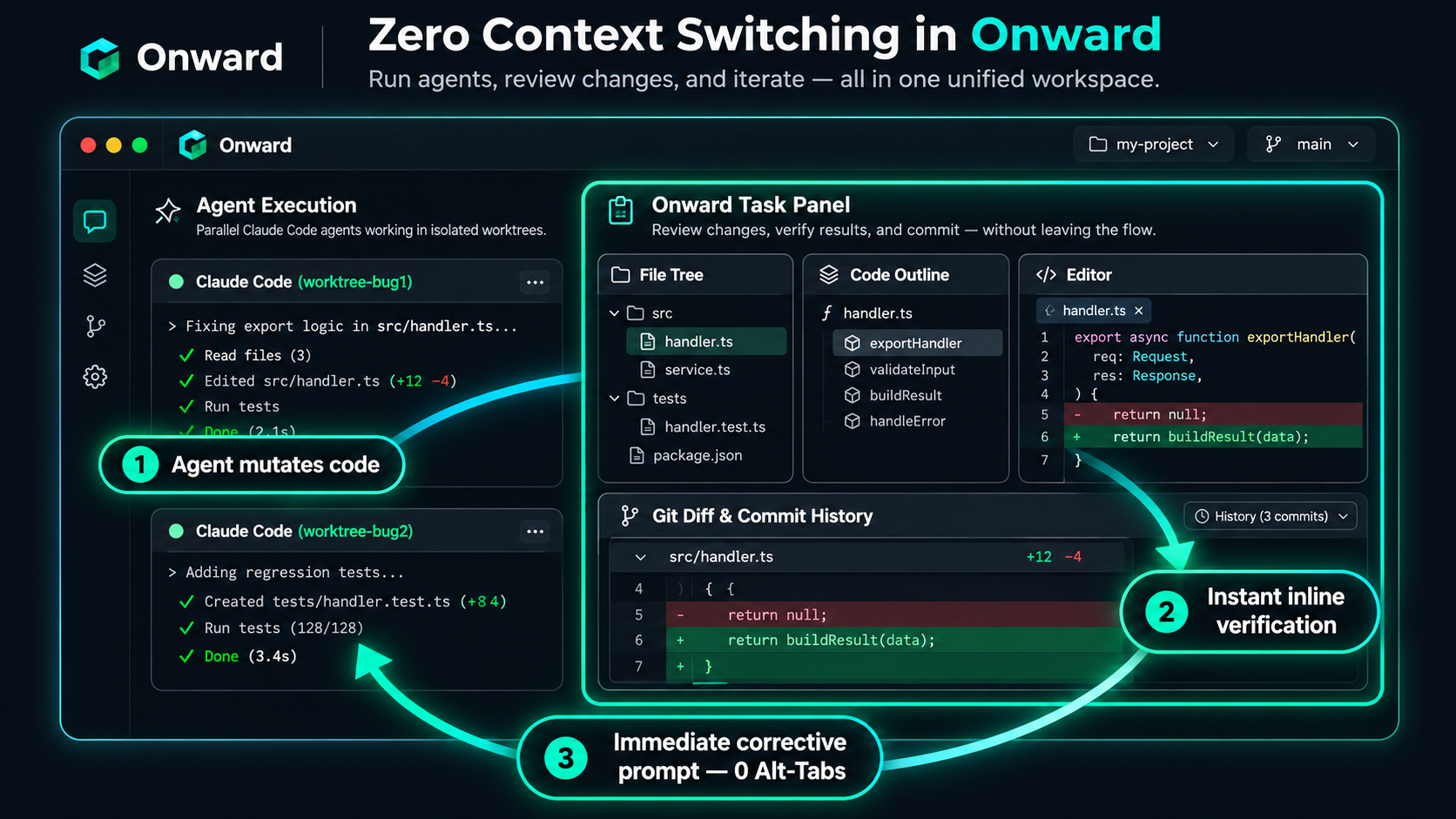
Fig 3: Zero-Alt-Tab diff verification with Onward’s integrated Task Panel.
2. Zero-Alt-Tab Diff Verification
Code generation is cheap; human verification is the bottleneck. In a traditional setup, checking what an agent mutated forces you to drop to a CLI or switch context to an external IDE.
Onward docks a full Task Panel—complete with File Tree, Editor, Outline, and Git Diff / History—right next to your terminal PTYs.
The loop stays strictly inside a single frame: Broadcast prompt → Agents execute → Inspect Diff on the right → Course-correct on the left. Zero window switching.
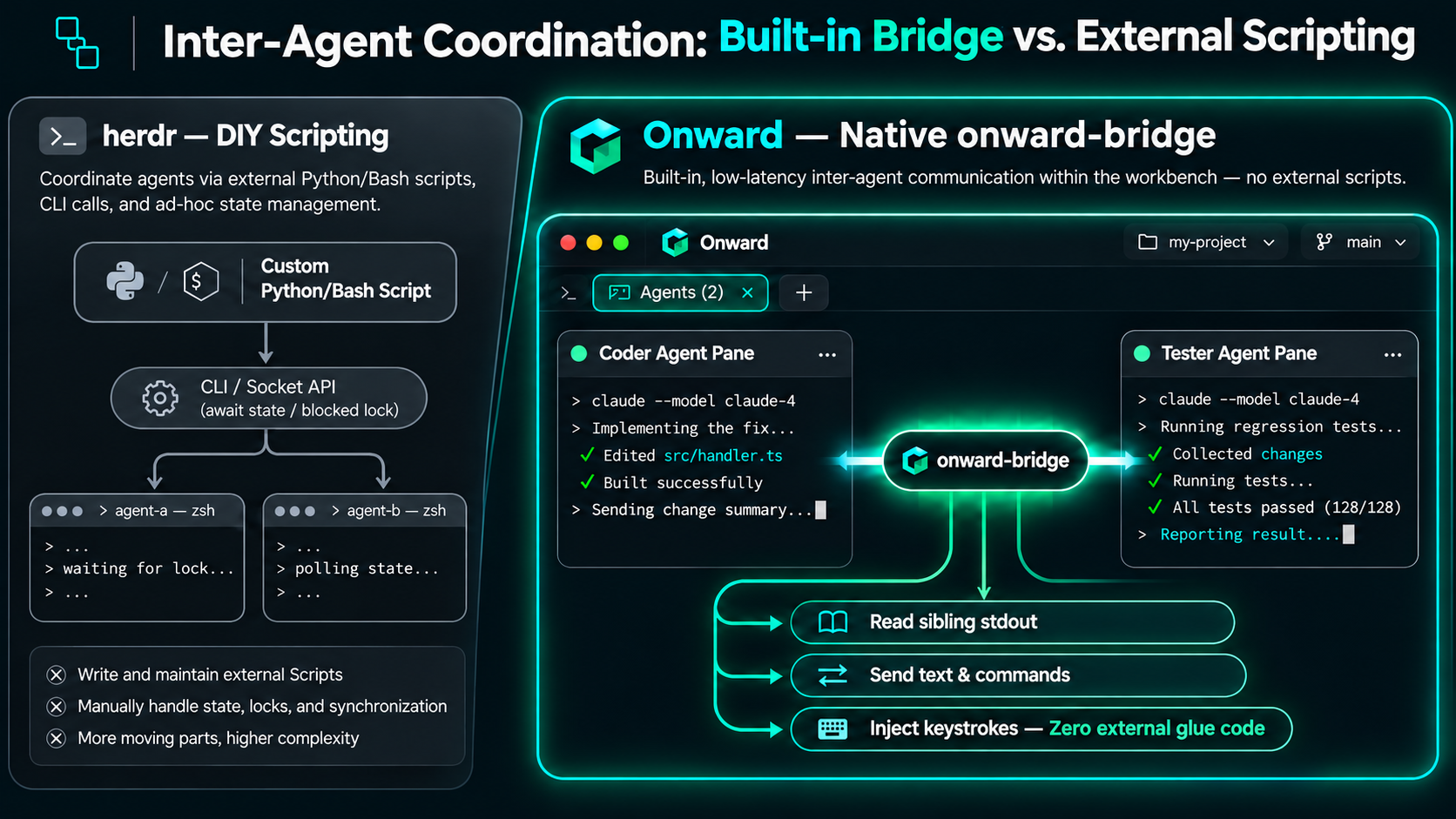
Fig 4: Seamless inter-agent coordination using native onward-bridge.
3. Frictionless Inter-Agent Coordination via onward-bridge
When you need agents to coordinate—such as having your testing agent read your implementation agent’s stdout before writing assertions—you don’t want to write complex external socket scripts or glue code.
Onward ships with onward-bridge out of the box. Agents running within the active tab can directly read sibling terminal buffers or inject commands and keystrokes across panes natively.
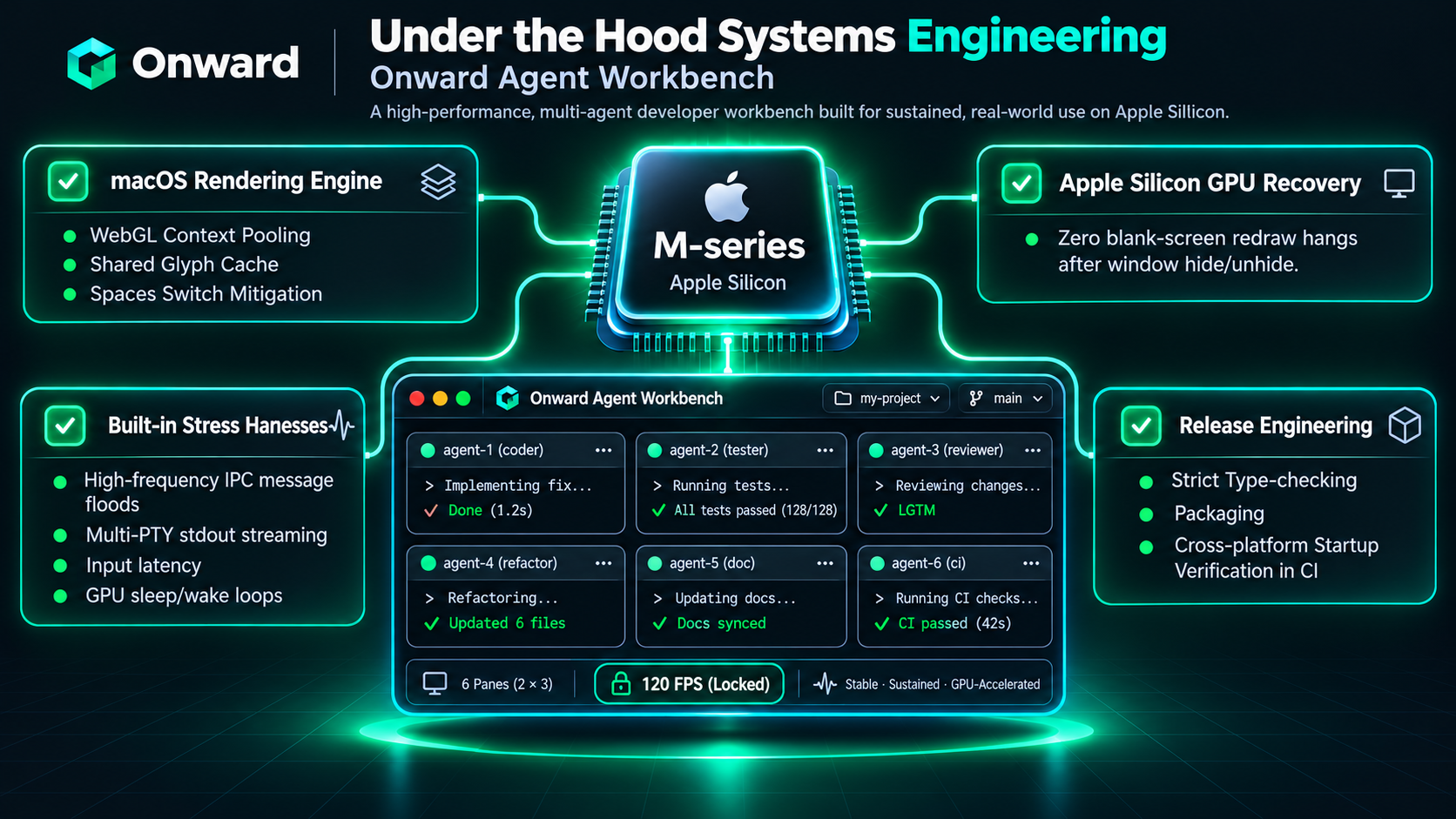
Fig 5: Uncompromising macOS systems engineering (WebGL, GPU wake recovery, and stress harnesses).
4. Uncompromising Systems Hygiene on macOS
Web-rendered terminals usually choke when six panes stream stdout simultaneously, often freezing or dropping frames across macOS Spaces switches and sleep/wake cycles.
Onward’s repo solves this at the metal:
-
Custom Rendering Policies: WebGL context pooling and shared glyph cache strategies.
-
GPU Resilience: Dedicated Apple Silicon GPU wake recovery logic to prevent blank-screen redraw hangs after window un-hiding.
-
Rigorously Tested: Built-in IPC/PTY stress harnesses, sleep/wake soak tests, and strict CI validation checks.
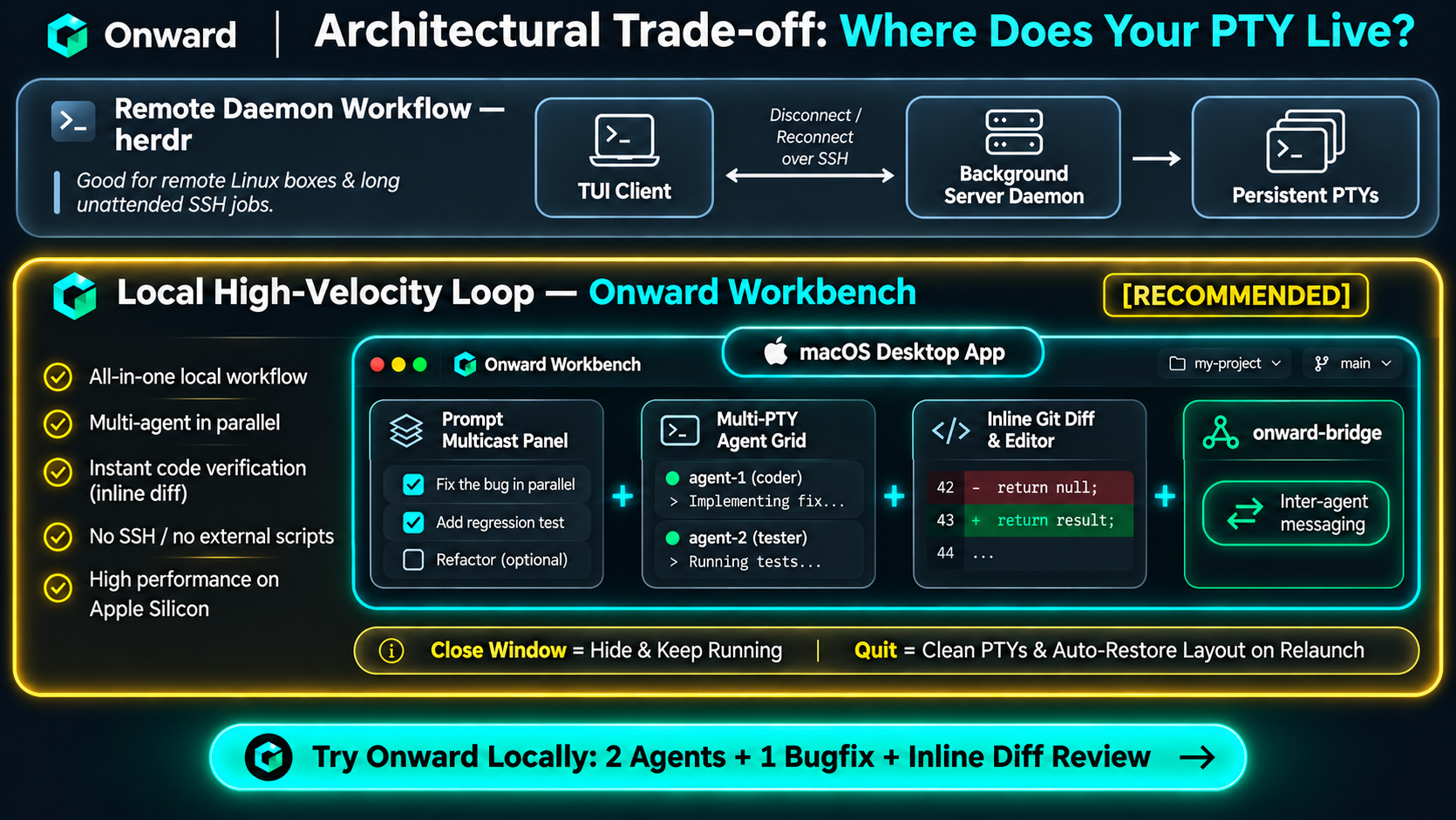
Fig 6: Download Onward and streamline your local multi-agent inner loop.
Verdict
If your daily driver is a local development environment where you are constantly spinning up git worktree instances, dispatching parallel coding and testing agents, and reviewing diffs in real time, raw terminal windows are holding you back.
Download Onward today. Spin up two panes on your next bugfix, broadcast your base constraints, and review the patch inline—you won’t go back.